Quick Answer: The August 19 update names two problems this page had been tracking as unacknowledged — the loot window closing on its own and the combat bag value mismatch — though in both cases the developers' wording is narrower than what players reported, so verify rather than assume. It also gives the server stutter a second named cause: refreshing chimes and treasure chests trigger excessive computation loads, to be "systematically resolved in upcoming updates." That follows the August 15 notice, which traced part of the stuttering and teleporting to cloud server CPU hyper-threading. Both are diagnoses with promises attached, not shipped fixes. Beyond that, start with what the August 12 update changed. It claims fixes for client hitching, stuttering and crashes, and for server-side lag — but two days of player reports are split, and the patch also changed how ping is displayed, so judge it by whether your hits land rather than by the number. It also introduced one clear regression: dropping an item with the G hotkey closes your loot window, eight reports in a day, so finish looting before you drop anything. Beyond that the problem list has three tiers. The heavyweight is the Fatal Error crash cluster. Work the support-suggested checklist first — update your driver, disable NVIDIA Smooth Motion, disable Intel AI Boost, turn off Mandatory ASLR in Windows Exploit Protection — but know that at least four players report it doing nothing, and support says AMD solutions are still being worked on. Crashes are expensive here: a solo player who crashes mid-raid re-enters dead with gear gone, while trios can reconnect. Tier two is a KERNEL_SECURITY_CHECK_FAILURE blue screen tied to GPLDriver.sys, with a two-player-verified workaround that disables real Windows security features, plus a Steam admin-rights fix for detection errors. Tier three is the server story: rubberbanding and latency spikes reported worsening around August 4 — officially under investigation, not fixed — plus no Oceania servers and a stuck-spectator softlock. The August 6 client update cleared a batch of crashes and softlocks but named neither the Fatal Error cluster nor the blue screen, and on August 7 the developers stated plainly that a one-shot fix for every lag issue may not be possible — expect gradual improvement across updates, not a single patch.
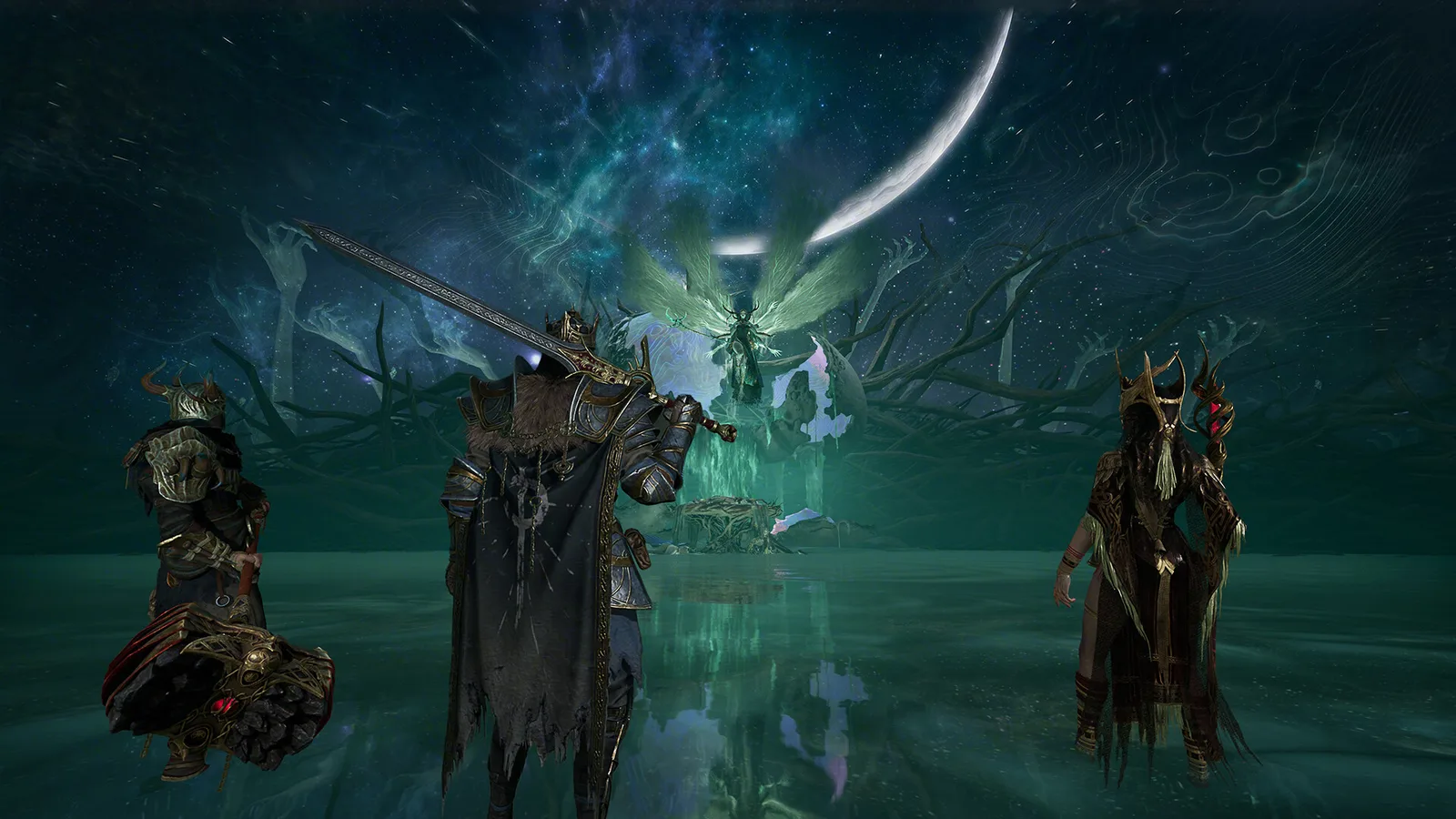 The fights you least want to lose to a Fatal Error. For solo players, a crash here costs everything carried. (Screenshot: Bellring Games)
Version note: Current for the August 19 live update, with player reports checked through August 20, 2026. Sourced from the developers' day-one known-issues list, the launch patch notes, the August 6 patch notes, the August 7 server update notice, the August 15 stutter notice and player threads, all linked inline.
Fatal Error Crashes: The Big One
The game dies to a "Fatal Error" dialog at launch, in the camp, or mid-raid. It's the most-reported technical problem of the launch window (main thread, August 4 thread), and reports come from Steam and Game Pass installs alike.
Work the checklist in this order. Two forum accounts post it repeatedly with official-sounding templates but carry no developer badge, so treat it as support-suggested rather than developer-confirmed:
- Update your GPU driver.
- Disable NVIDIA Smooth Motion (NVIDIA app or control panel).
- Disable Intel AI Boost in Device Manager, on Intel Core Ultra systems.
- Turn off Mandatory ASLR: Windows Security → App & browser control → Exploit protection settings → Mandatory ASLR off. Support calls this step "most effective for Intel/NVIDIA users."
Then set your expectations. At least four players across the two threads report the checklist, ASLR step included, changing nothing: "Still happens over and over," one says the game now "spam crashes and relaunches on its own," and a Game Pass user reports no effect. Support has said outright that "for players with AMD, we're still working hard to find better solutions" — so on an AMD GPU, the checklist isn't aimed at you and the real fix is the pending patch.
Three fragments worth trying while you wait, each a single unverified report: allow the game through the firewall, force DirectX 11, or check whether your crashes are camp-only (one other player confirmed that variant). File tickets through the official Discord — the support email reportedly returns auto-replies.
Separate what the game can do from what your PC is doing. A player two weeks into constant disconnects reports his machine also black-screening and resetting outright — and that is a different failure. A game crash produces a dialog and drops you to the desktop; the whole machine cutting out and rebooting is a hardware or power symptom that no game setting reaches. The most detailed reply on that thread makes the same split and points at the usual suspects for a 50-series GPU on an AMD platform: run RAM at stock speeds with EXPO/XMP disabled in the BIOS, since Unreal Engine is unusually sensitive to memory instability, and re-seat the 12V-2x6 power connector until it clicks. That is one community poster's checklist, not a developer statement, and none of it is specific to this game. Use it as a triage rule: if your PC resets, stop reading game-side fixes — the DirectX 11 shortcut that briefly helped him was never going to hold.
Protect your loot in the meantime, because a mid-raid crash is a death if you're solo. Trio players report reconnecting into the match; solo players re-enter to the death screen with everything carried gone (thread). Treat your safe pocket as crash insurance — full retention rules in Death & Loot Rules.
Blue Screen: KERNEL_SECURITY_CHECK_FAILURE (GPLDriver.sys)
Three reports, one solid workaround (thread). The symptom is a full-system BSOD with stop code 0x139 KERNEL_SECURITY_CHECK_FAILURE, and debugger analysis points at GPLDriver.sys — a shadow-stack violation, triggered around shader pre-compilation or the main menu.
The fix, confirmed by two players independently: Windows Security → Device Security → Core Isolation → disable Memory Integrity / kernel-mode Hardware-enforced Stack Protection, then reboot.
Read the caveat before you do it. Those are genuine Windows security mitigations, not game settings. Disabling them trades system hardening for a working game. That's your call, and re-enabling them once a proper fix ships is the responsible end of the trade. A third player with the same symptoms reports every conventional fix failing, so if this is your crash signature, Core Isolation is the only route with confirmations. No developer response in the thread.
"Steam Detection Error" / Crashes Tied to Admin Rights
If the game was ever run at a different privilege level than Steam, it can throw Steam detection errors or crash at launch. The fix from a community fix thread (steps in English and Spanish): fully exit Steam, run Steam as administrator, then launch the game from the library so both share the same privilege level. Single thread, but the poster describes multiple players with the same signature, and it costs nothing to try.
Stuck in Spectator After Dying
Roughly six reports across two threads (one, two), persisting since July 30. After a death — one player says every death to a player kill — spectator mode won't release. Esc does nothing and there's no return-to-camp option.
Two player-found exits: wait it out, since it eventually self-resolves for one reporter, or Alt+F4. Quitting from spectator costs you nothing the death didn't already take. No developer reply on either thread.
Servers, Lag & Rubberbanding
Netcode complaints are the launch's background hum, and they spiked in the days before this page was written. All community-reported:
- Rubberbanding and latency are worsening. A player who'd had 18-22ms since launch reports 38-44ms with rubberbanding starting August 3-4 (one corroborating reply, thread), and a separate rubberbanding thread is blunter. A well-upvoted Reddit thread claims one server apiece for the US and EU — a community claim, not verifiable against any official server list beyond the five named regions.
- A "latency is too high" warning can contradict a displayed 30-50ms ping. Single report, but a useful symptom to search if it hits you.
- No Oceania servers — that part is official. The OCE vote runs through Discord. High OCE pings are working as configured.
- Matchmaking Error 1005102 ("from message:1600") has at least two reports in English and Russian threads, and no known fix.
- Try the Performance graphics preset if you get frame stutter. It noticeably reduced hitching for one player, and it's the cheapest experiment on this page.
August 15: The Stutter Finally Has a Named Cause
The developers published a server stutter optimisation notice on August 15 that does something no previous statement did — it names a cause. Part of the intermittent stuttering, lag and character-teleporting was traced to cloud server CPU hyper-threading. Server configuration changes went out across all servers on August 13 and 14, and their monitoring shows the stutters happening less often.
Read the claim precisely. They say less frequently, not fixed, and they call performance optimisation ongoing with more issues still open. There is no client download involved — if you played on August 13 or later you already had it.
The same-day player reaction does not match the monitoring data. A thread posted the morning of August 15 describes server lag in every fight, unresponsive combat, and standing still through a parry while getting hit; two replies pile on, one of them reporting repeated "unstable connection" disconnects mid-match with gear lost, immediately reconnectable, from a player who rules out their own hardware and line. That is not a measurement of anything — it is three players on one day against a company's aggregate telemetry, and both can be true at once if your region or match happened to be a bad one.
What to do with it: if you were rubberbanding before August 13 and still are, you are now in the "still working on it" bucket rather than the "not yet investigated" one, and the useful action is a report with your region and time rather than another settings pass. Nothing on your machine caused this and nothing on your machine fixes it.
Two Days Later, the Player Read Has Not Improved
Worth recording plainly rather than smoothing over. An August 17 thread states it as a regression against the optimisation itself: "the server issues and lag/rubber banding has been the worst it has ever been. The game feels worse now, compared to before they made their 'server optimization improvements.'"
That is one player's impression and it is not measurement. But it is now the consistent direction of every post-August-15 thread we can find, with none reporting improvement, which is the opposite of what a working fix usually looks like on a board this size. The comparison offered by a second player in that thread is the useful detail rather than the anger around it: they report 30 ms in this game feeling worse than close to 200 ms in another extraction shooter played across the Atlantic. That points at netcode and tick behaviour rather than raw latency, which matches the developers' own hyper-threading finding.
Practical position, unchanged and now firmer: do not spend another evening on graphics settings. The variable is server-side, the developers have said so, and their August 7 framing still applies — a one-shot fix may not be possible and improvement is counted in weeks rather than patches.
One expectation to set separately: several players in these threads report support tickets going unanswered until they auto-close. We cannot verify ticket handling, and it is separate from the technical question, but if you are relying on a ticket to recover gear lost to a disconnect, do not plan around a reply arriving.
Blue Combat Bags Show 2,500 but Queue Like 2,300 — Fixed August 19
The August 19 update lists this under "Previously Fixed Issues": "Fixed an issue where under specific circumstances, equipping a Pro Combat Bag would prevent players from entering their intended match due to an equipment value mismatch error." That is the first time the developers have acknowledged it in writing, and "equipment value mismatch" is exactly what players measured.
Note the wording difference before you assume you are covered. The developers say Pro Combat Bag; the two player reports both said blue. Nobody has posted a post-fix retest, so if a queue still rejects you with a bag that looks eligible, the old test is how you check it.
What players found, on August 16: blue combat bags displaying a gear value of 2,500 did not meet the requirement for Cataclysm difficulty on the second map — one with a full team blocked at the queue, one who tested it deliberately: they equipped a blue bag showing 2,500, ran a normal mission and extracted immediately, and the displayed value came back as 2,300.
If it happens to you now: take a normal run and extract straight away to read the real figure, then report it with that number attached — a fixed issue that still reproduces is worth more to the developers than a fresh complaint.
Event Ciphers Appear to Have Stopped Dropping
Four players report the same thing independently: no Cipher drops at all across three to four days of play, while the event they feed — the golden helmet reward — is still running. This is not a "bad luck" thread. One player describes the most systematic attempt:
"Ciphers are bugged, i ran constant PVE rogue runs on every map and difficulty over the past 4 days, not a single Cipher. My bet is the devs messed up and turned them off by accident during one of the recent updates."
Another reaches the same conclusion from the other direction: "I swear the update removed them by accident." No developer has answered the thread.
There is a counterweight worth stating. One player notes the Ciphers had a date attached, which would make a stop deliberate rather than broken, and says he got the bell helmet off his very first Cipher — so drops clearly worked earlier in the event. Nobody has posted the end date, and no announcement names one.
What to do: a player in the thread shares the redemption code BFH813, which he says grants 3 Ciphers — enter it under redeem code. We have not verified it and neither has the developer; it is worth thirty seconds if you are short of the helmet, and it only works once per account, so the two players who had already used it got nothing from the tip. Beyond that, do not grind for Ciphers right now. Four players running every map and difficulty for four days between them have produced zero, so a fifth attempt is not a sampling problem.
Watch List (Single Reports, Not Yet Patterns)
- Falling through the ground at raid start, then getting kicked
- Silent disconnects with no error dialog
- Keybinds not persisting between sessions — tracked with the rest of the input issues in the Controller & Console Guide
- The whole-team silence bug and the action-lock bug, where you can't attack, jump or swap weapons — the workarounds are die-and-revive or hide-quit-rejoin, covered with the other combat bugs in PvP Class Counters
- A cosmetic texture bug on the Celestial Mistveil skin
What the August 6 Update Fixed (and What It Left Alone)
The promised client update landed on August 6 at 09:00 UTC with full patch notes. Update your client through your app store — it was a no-downtime server update plus a client patch.
Crash fixes named in the notes:
- Gem affixes occasionally crashing the game during matches.
- The PS/Xbox friends list failing to retrieve friend information and crashing the game.
Softlock and match-flow fixes:
- The Soul Tree model trapping players who got stuck in it.
- Choosing to leave a match mid-battle triggering settlement normally but failing to actually exit.
- Hallowgrove's Gyldenmist dealing no damage under specific circumstances.
Loot and UI fixes: equipment looted from defeated rival Gyldhunters no longer displays as bound (details in Death & Loot Rules), stackable items stack correctly, "Allowed Combat Bags" displays correctly for Brandrgarde in Cataclysm, weekly task refresh times in Contracts and the Fate Chart are correct, plus fixes to the Contract page, avatar frames after a body-type switch, controller loot-drag sound spam, missing audio on some Cursed Moonwane skills, HDR text showing English under Chinese, and background music dying after a disconnect.
What it does not touch — check here first if you're still broken:
- The Fatal Error crash cluster is not in the notes. No item names it, so the checklist above is still the whole answer, including for AMD users support said it was still working on.
- The GPLDriver.sys blue screen is not in the notes.
- Stuck-in-spectator is not named, though the mid-battle exit fix is adjacent enough to re-test.
The August 19 Update: Two of This Page's Bugs Named, and a Second Cause for the Stutter
A no-downtime server update at 08:00 UTC on August 19 with a client patch to follow through your app store. It is the first update to name two problems this page had been tracking as unacknowledged — see the combat bag and loot window sections above for what the wording does and does not cover.
The stutter now has a second named cause, and it is more actionable than the first. The developers say they set up dedicated server frame-rate monitoring, which found that refreshing chimes and treasure chests can trigger excessive computation loads and cause performance hiccups. Their commitment is that these "will be systematically resolved in upcoming updates" — so this is a diagnosis with a promise attached, not a fix that shipped. Track it the way you track the August 7 statement: gradual, across updates.
Fixes that matter to how you play:
- Brief invulnerability when entering a Mist Lord's room. This removes a death that was not your fault — see Solo Play, where entering a Lord room alone is the highest-risk moment of a run.
- The Scavenger Squad now refreshes its required materials across all modes after you complete a task and claim the rewards.
- Getting hit by a monster while accepting an in-match task no longer locks you out of all actions. Same family as the interrupt lockouts fixed on August 12.
- Items that could not be placed into Pip's Pouch after being revived; a teammate in trio being able to discard an item you were identifying; terrain collision in Hallowgrove that left players floating.
- Several Soul Harvest repairs: Smuggler Woodlings failing to spawn once the Harvest began, Soul Incubators from the purification prayer phase wrongly dropping Soul Cocoons, and Mistchaser Shop limits not refreshing after the ritual.
- Two bound-item corrections — Faded Divine Tree Heart and Stardust Bloom in the Premium Holy Material Selection Chest were incorrectly set as bound.
Still not named, four updates running: the Fatal Error crash cluster and the GPLDriver.sys blue screen. A player asked directly in the forums on patch day whether Fatal Error was fixed this time and got no reply. Nothing in the notes addresses either signature. Work the checklist at the top of this page and keep your expectations there.
The August 12 Update: What Landed, and the Player Verdict
The client update the developers had pointed at for a week shipped on August 12 at 08:00 UTC, no downtime, client update required through your app store. It is the largest patch since launch and it is also the one the community had framed as the make-or-break attempt at desync.
What it claims on the problems this page tracks:
- "Fixed client hitching, stuttering, and crash issues occurring under certain scenarios." No named crash cluster — the Fatal Error and GPLDriver.sys signatures still go unmentioned by name, three patches running.
- Server performance optimised and fixes deployed for "select server-side lag issues," with remaining hiccups still under investigation.
- Ping display logic reworked to reflect real in-match input latency more accurately. Worth knowing before you compare your ping to a pre-patch number — the scale changed.
- Warehouse items no longer vanishing from view while preparing gear, the interrupted-while-looting lockout that prevented attacking, the interrupted-while-executing lockout that froze all actions, the Level 13 warehouse UI glitch, and the character-creation disconnect.
- Cosmetics that should only be visible to you and your teammates no longer show to enemies under specific circumstances — see Death & Loot Rules, where this is now official confirmation of a rule the community worked out on its own.
The player verdict, two days in, splits — and the split is more useful than either side of it. Take all of it as launch-week temperature rather than measurement:
- The negative reports are the louder half and cluster by region. The servers thread opened hours after the patch with hit-stun that cannot be dodged out of and teleport-backs, and it is still collecting. A European player reports average ping going from 30 ms to 120 ms with rollbacks that teleport them back two rooms, worsening across three consecutive matches; an Asia-Pacific player calls post-patch lag the first time it has been unplayable for them; a third went from 30–60 ms to a constant 80–90 ms with rubberbanding.
- The positive reports say something specific, and it contradicts the ping numbers. One player's ping also rose to 90–110 ms after the patch, and they describe the game as much better anyway: "I can actually hit people now. Before my ms was really low but everyone teleported and couldn't dodge." A second player reports stuttering and lag improved without reaching what they hoped for.
- The practical rule that falls out of that: judge this patch by whether your hits land, not by your ping display. The patch reworked ping display logic to reflect real input latency, so the number is not comparable to your pre-patch number in the first place, and at least one player has better combat with a worse figure. If attacks connect and dodges register, the update helped you regardless of what the readout says.
- The developers' August 7 framing — gradual improvement across updates rather than one fix — is still the only prediction standing.
- Frame drops outside combat are reported by two players who had none before.
The new regression to know about: the loot window closes on its own. Eight players in one thread inside a day, none of them seeing it before the patch. Two triggers:
- Dropping an item with the G hotkey while a loot window is open closes the window — the most consistent report, described by one player as happening "every single time."
- Random closure mid-loot, several times a match for some players.
The August 19 update claims it: "Fixed an issue where transferring items when looting remains would occasionally cause the inventory UI to close automatically." That is the first time the developers have named it, seven days after the reports started.
Read the wording before you assume your case is covered. They describe transferring items and say occasionally; the strongest player report was dropping with the G hotkey and having it happen "every single time." Those may be the same bug seen from two ends, or the fix may only cover the transfer path. Keep the habit until you have tested it: finish looting before you drop anything, and if you need space, close the container, drop, then reopen. It costs nothing and it is still correct if the fix is partial.
One player suggested the trigger involves creature ragdoll physics; that was a guess and the patch note neither confirms nor contradicts it. Worth noting how this one travelled: "looting is bugged" appeared in separate threads from players who were not in the original one, which is what made it a pattern rather than a single group's problem.
Two more post-patch reports worth knowing, each currently single-source: spawning underneath the map geometry on load-in with the menu inaccessible and reconnecting not helping; and a player who came back after the update to find they had to redo the opening mission and create a new character. Neither has a developer reply. If either happens to you, capture it before you retry — a character that has to be recreated is not something you can demonstrate afterwards.
The August 7 Server Update and the Lag Statement
A day later the developers pushed a server-side update — no client download — fixing one thing: cancelling a Polearm and Shield charge abnormally triggering the Focused affix's movement speed bonus. The same notice carries the most concrete statement yet on the problems this page tracks.
On lag, set your expectations by their own words. The investigation is ongoing, in-stage environments are complex enough that lag has multiple causes, and — the part worth reading twice — "a one-shot fix for every lag issue may not be possible," with the issues expected to "taper off with each successive update." That is an official prediction of gradual improvement, not a fix date. If your play is currently unenjoyable because of lag, plan around weeks, not one patch.
Three things they committed to:
- A Block feature ships in next week's update. Nearly 30 advertising accounts have been banned from chat so far; blocking will hide a blocked account's messages from you.
- Report cheating and illegal teaming in-game. They are adding feedback emails triggered by successful reports, so you learn what happened to the account you reported.
- Next week's client update launches Soul Harvest and opens Season Tasks, plus another batch of the most-reported fixes. Half-delivered on August 12: Soul Harvest launched, the Block feature arrived as an "Add to Blocklist" option inside the World Chat window, and the fix batch is the largest yet — but Season Tasks are not mentioned anywhere in the August 12 notes. If you were waiting on that specifically, it has not opened and no new date has been given.
New Since the August 6 Update: Freezes
Reports of the game freezing after the August 6 client update have roughly doubled, and a second thread opened on August 9 collected three more within two hours — "it is gradually appearing for more and more people", as one of them puts it. Between the two threads the pattern now has some shape: one player specifies an "Application hang detected" error with a freeze at character select, another hits it repeatedly on the skills menu, and a third describes the game process surviving the freeze and refusing to die even from the command line, forcing a full reboot.
Assume a hard reboot is the cost, and save your session plans accordingly — if the process cannot be killed, anything you were mid-raid with is gone. The developers still have not named this, and it is not universal (one reporter's friends run the same build cleanly), so it is a watch item rather than a diagnosis. If you were stable before August 6 and are not now, nothing about your hardware changed.
Separately, a player analysing stutter reports it behaving as a 3-5 minute warm-up cost at the start of a session rather than a constant drag, and another says a GPU driver update cleared it for them and everyone they know. Neither is confirmed, but a driver update costs nothing and the warm-up pattern is worth checking against your own first few minutes before you start changing settings.
"Ran Out of Memory" Crashes and the Paging File
One detailed report on August 9 posts the actual exception rather than the generic dialog, which makes it worth acting on even as a single case:
[File:...\Runtime\Core\Private\GenericPlatform\GenericPlatformMemory.cpp] [Line:269]
Ran out of memory allocating 2097152 (2.0 MiB) bytes.
Last error msg: The paging file is too small for this operation to complete.
That second line is Windows, not the game. Check that your paging file is system-managed rather than disabled or pinned to a small fixed size before you assume the crash is a driver problem — the reporter is on a Ryzen 7 5800X with 32 GB of RAM, which is exactly the configuration where people turn the page file off because the RAM "should be enough". Their crashes came during high-density extraction sequences.
The expensive part is what happens after. The reporter describes the crash registering as a mid-match death rather than a disconnect, costing a fully socketed purple BlackArrow set. That matches the pattern already documented for solo crashes in Death & Loot Rules — the server does not treat a client dying as a safe exit.
If you are filing a gear-loss claim, confirm the channel is alive first. The same player reports the official Discord ticket system rejecting new submissions on August 9 and mail to the published support address timing out at the recipient server, with the developers' automated replies still pointing at Discord. They also report the support address being changed later that day. None of that is confirmed by an official announcement, so the practical rule is to keep a screenshot of your own send failure rather than assume a sent email means a filed claim.